Skip to product information
1 of 5

Fallout Hobbies

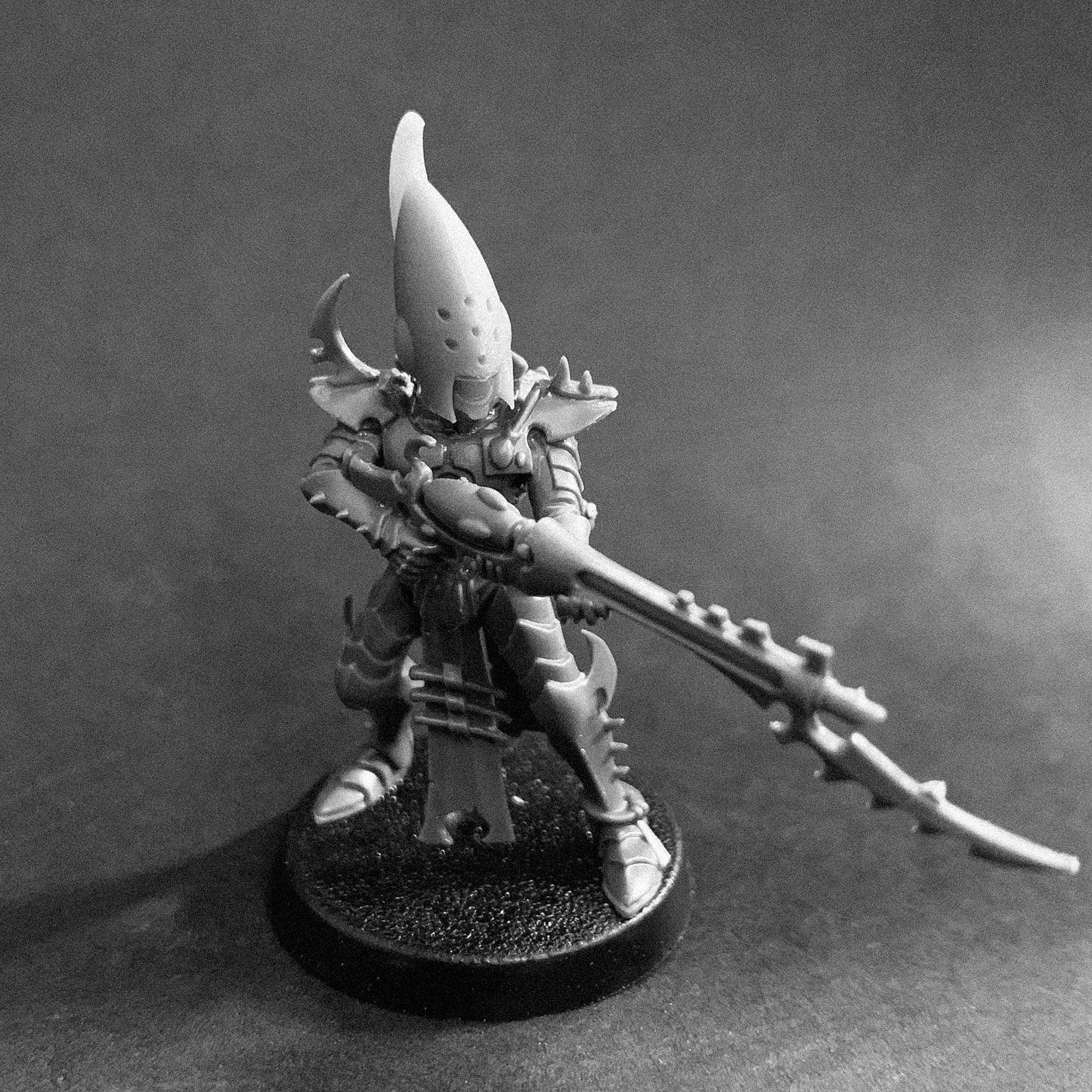
Evil Elven Heads 3 STL File Download

Evil Elven Heads 3 STL File Download

Regular price $ 5.00 USD
Regular price Sale price $ 5.00 USD
Sale Sold out

Downloadable STL files for custom upgrades parts.

A sinister grin leering out from underneath a torturer's helm for the Elven Kind 28mm figures.

These bits are a great way to customize your forces or to design unique characters.

Quantity
View full details

Fallout Hobbies Field Manual

STL Printing Field Manual

Everything you need to print, assemble, and finish your Fallout Hobbies STL files with fewer failed prints and better tabletop results.

Printing & Materials

Choose resin for minis. Resin printers are still the gold standard for high-detail miniatures, bits, weapons, and accessories. ABS-like resin is a strong default for durability. A useful shop-tested mix is adding about 20-30% Siraya Tech Tenacious resin into your primary resin to improve toughness.

FDM printing has improved significantly for minis, but it still takes patience. Tree supports, low layer heights around 0.10 mm, and high infill usually give the best shot at clean results.

Support & Orientation

Perfect your supports. Over-supporting is usually better than watching a print fail six hours in. Auto-supports in Lychee Slicer or Chitubox are useful, but always manually check for islands, long flat surfaces, and the undersides of limbs or weapons.

Manual orientation matters. Before generating supports, rotate models roughly 15-40 degrees to reduce suction forces, improve drainage, and move support scars away from visible faces.

Assembly & Post Processing

Safety first. Uncured resin is toxic. Use nitrile gloves, wear a respirator when appropriate, keep the space very well ventilated, and try to keep your printing area above 73°F / 23°C.

Clean and dry fully. Wash prints in isopropyl alcohol, let them dry completely, then cure under UV light. Curing wet prints can leave that chalky white residue nobody asked for.

Assembly. Gorilla Super Glue Gel works well for fast, strong assembly.

Plastic Putty: Products like Vallejo Plastic Putty are excellent for filling thin, small gaps on plastic miniatures and models. It can be applied with a toothpick or cotton swab and easily smoothed out.

Epoxy Putties: Putties like Milliput or Magic Sculpt are two-part formulas. They offer superb control and can be sculpted or carved perfectly, making them an industry standard for miniatures.

Liquid Plastic Cement: For gaps between two plastic pieces, applying a liquid cement (such as Tamiya Extra Thin) melts the adjacent plastics together. The resulting melted plastic acts as its own gap filler.

Terrain & Large Scale Prints

Use FDM where it shines. Large terrain, bunkers, pipes, craters, modular tiles, organizers, and hobby aids are often better suited to FDM than resin.

Clean up the print. For small FDM defects or elephant foot on first layers, use a sharp hobby knife, box cutter, sanding tools, or a micro grinder to smooth flat surfaces.

Magnetize modular builds. Magnets can help stacked buildings and multi-level terrain stay stable during games.

FAQ

Can I sell prints made from these STL files?

No. These files are for personal use only unless you have purchased and are following the Fallout Hobbies merchant license terms.

Can I resize the files?

Yes, for your own personal hobby projects. Resizing does not change the license terms or grant resale rights.

Are these physical products?

No. STL products are digital downloads for 3D printing. No physical printed parts are shipped unless the product page specifically says otherwise.

What printer should I use?

For high-detail miniatures, bits, weapons, and accessories, resin printers usually produce the cleanest results. FDM printers are excellent for large terrain, storage, and scenery pieces.